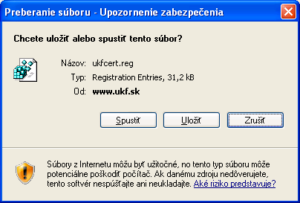
The installation of the certificate is ensured by a file that modifies the Windows registry. It registers the certificate in the Windows system and in the applications Internet Explorer, Outlook Express, MS Mail, and MS Outlook.
- When using Internet Explorer, it is sufficient to click on the file that ensures the change of values in the registry (ukfcrt.reg) and confirm the displayed dialog boxes.
- The installation for MS applications via Firefox is done similarly, but we first need to save the file that ensures the change of the registry (ukfcrt.reg) to the computer and only after launching it confirm the requests.
Detailed Procedure
- We launch the file with the certificate (directly from the web or from the computer’s disk).

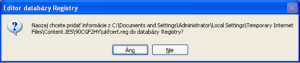
- We confirm that we really want to write the data to the registry.
- We receive information about the successful write.